
Justflows 0.3.6: themed sign-in, categories and tags, and plugins your AI agent can use
Member sign-in pages that use your theme, a hidden admin that is actually hidden, categories, tags and custom taxonomies, a durable job queue, and plugin routes that AI agents can call.
Justflows 0.3.6 is out, two days after 0.3.5. This one is about who can get in, and where: members get sign-in pages that look like your site, staff get an admin sign-in that a custom admin path really hides, and AI agents get access to plugins, but only where a plugin allows it. Posts also get categories and tags, finally. Here are the highlights. The full changelog is on GitHub.
Sign-in pages that use your theme
/login, /register, /forgot-password and /reset-password now render inside your theme, with your header, footer and styles. They are four normal pages of the new built-in Sign-in content type (Content → Sign-in), so you edit them in the page builder like anything else. Each one holds an Account form block that does the actual work.- Existing sites get the four pages the first time one of the URLs is opened. A page you already customized is never replaced.
- They are never cached, indexed, exported, searched or listed. A missing or renamed page falls back to the plain built-in form.
- The session is shared between the admin and the site. Signed-in visitors are sent from
/loginto their account page, sign-in links anywhere on the page become My account, register links disappear, and the header's sign-in widget gets Sign out. Cached pages stay cached: a small script fixes the links up in the browser.
A hidden admin path that is actually hidden
Before 0.3.6, moving the admin under Security → Admin URL hid the admin pages, but
/login still accepted staff passwords and even returned the hidden path after a successful sign-in. Moving the admin stopped neither password guessing nor kept the path secret.Now staff sign in only at
<admin path>/login, in the admin's own design, and /admin/* answers 404 once the path is moved. A staff account on the member page gets exactly the answer a wrong password gets, before any two-factor prompt. Member pages never mail staff a reset link, and a reset link only works on the surface it was mailed for. Read more in Two doors: how sign-in works in Justflows 0.3.6.Heads-up: this also applies on the default
/admin path. If you bookmarked /login to get into the admin, use /admin/login now.Categories, tags and your own taxonomies
Content → Categories & Tags manages terms: add, rename, change the slug, nest categories, and delete (child categories move up a level). Every site gets
category and tag for posts, and administrators can add their own taxonomies and choose which content types use each one.- The editor sidebar has a picker per taxonomy, saved with the entry. Editors can create new terms right there.
- A post's first category fills
%category%in permalinks, and archives such as/category/newslist its entries. - Changing a post's category or a term's slug redirects the old URLs.
- The management API (
/taxonomies,/content/{id}/terms) and MCP tools (taxonomies_*,terms_*,content_terms_get,content_terms_set) cover all of it.
There is a walkthrough in Categories, tags and custom taxonomies.
AI agents can use plugins, where the plugin allows it
A plugin route can now be offered to agents as an MCP tool with a new
mcp route option. The tool runs the route's own handler with the agent's session, so the plugin's checks apply unchanged. It is listed only on sites where the plugin is active and only to sessions with the capability it names. Routes without the option are never offered.- API keys work on plugin routes. A
jfk_…key now authenticates/ext/<plugin>/…and plugin API aliases such as/api/shop/v1/…, with the management API's checks: revocation, expiry, site, IP and Origin allowlists, and rate limits. - Full admin keys follow new plugins. A key with
site:adminnow holds the capabilities of plugins installed after it was made, as long as its owner still has them. Core capabilities are never widened this way. - Agents cannot change other workspaces, whatever a plugin does. The host refuses workspace operations and limit changes when an agent, API key or connected app is behind the call, including the hooks it triggers.
- Sensitive output is filtered. MCP and assistant tool results, plugin results included, redact credentials, environment-file text, private keys and known installation secrets.
The thinking behind this is in Letting AI agents into plugins, without letting them out of the site.
For plugin developers
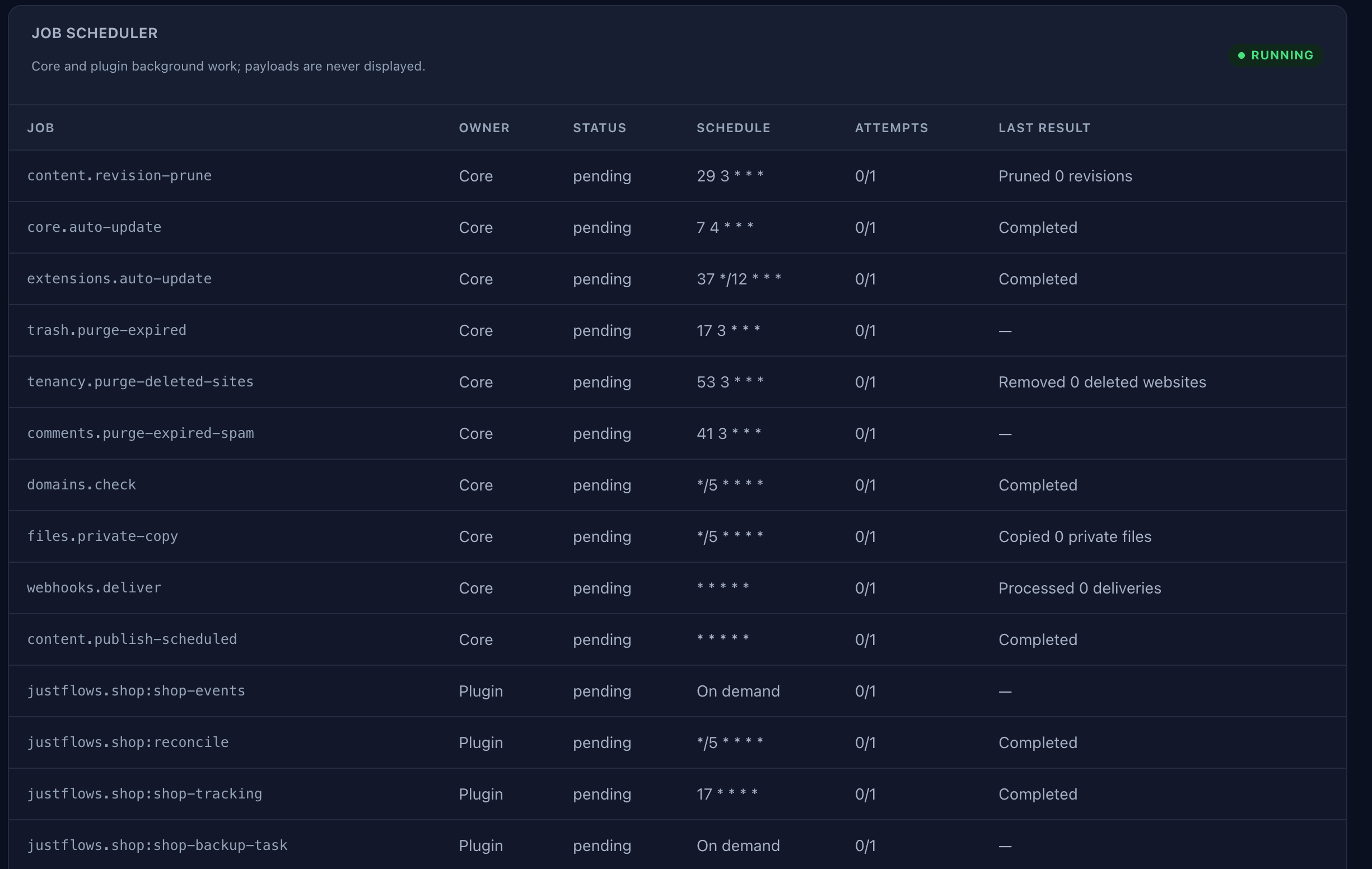
- Durable job queue.
ctx.jobs.enqueue()now stores every run in ajob_queuetable, so work survives a restart and each call keeps its own payload. Processes claim runs with a lease and heartbeat, so a run executes on one process at a time. Failed runs are retried after 1, 5, 25 and then 60 minutes up tomaxAttempts, and administrators can retry them under Diagnostics → Job queue. - Plugin tables upgrade with the plugin.
ctx.databases.ensureSchema()now adds declared columns and indexes that existing tables lack, on PostgreSQL, MySQL and MariaDB. Types are never changed and nothing is dropped. - Arbitrary
mcp.toolshandlers are gone. Tools that only existed as filter handlers are no longer listed or run. Offer a registered route with themcpoption instead. - Purge gates. Suspending a workspace now starts a retention clock, and plugins get a required
workspace.beforePurgegate and a finalworkspace.purgedaction to clean up their own data.
// Survives a restart, runs on one process, retried with backoff
await ctx.jobs.enqueue("sync-catalog", { since });
Fixes worth knowing about
- The install request is rate-limited.
POST /api/installhad no request limit, so on a fresh site the setup key could be guessed without pause. It now allows 20 requests per 15 minutes per IP. - Member sign-in closes with the site. In maintenance mode or before a site is public, the member sign-in and account pages show the maintenance page, and the member side of the auth API answers 503. Staff sign-in, the management API and MCP stay open.
- Broken links no longer block static export deploys. A 404 or 410 during the crawl is now a warning instead of a failed run, so one broken footer link no longer stops object-storage exports from going live.
- Sub-sites send email through the platform. Sub-sites no longer try the host's sendmail. They use Platform mail, under their own sender name, unless the new Own email settings feature lets them configure their own transport.
- Only active plugins count toward a site's plugin limit.
- Public signup on a platform can now allow or block emails and domains, and block disposable addresses.
Upgrading
This release adds two database migrations:
Read the full changelog0047_taxonomy_content_types and 0048_job_queue. Staff on sites that still use /login for the admin need to switch to /admin/login (or your custom admin path), and plugin authors with handler-only MCP tools need to move them to routes. Read the full release notes before you upgrade.✌️
Thanks for reading!
Find more posts on the blog or star Justflows on GitHub.