
Helpdesk: support tickets inside your Justflows site
Helpdesk is a new first-party plugin that adds tickets, a staff inbox and a customer portal to any Justflows site. It already runs our own help center at support.justflows.com.
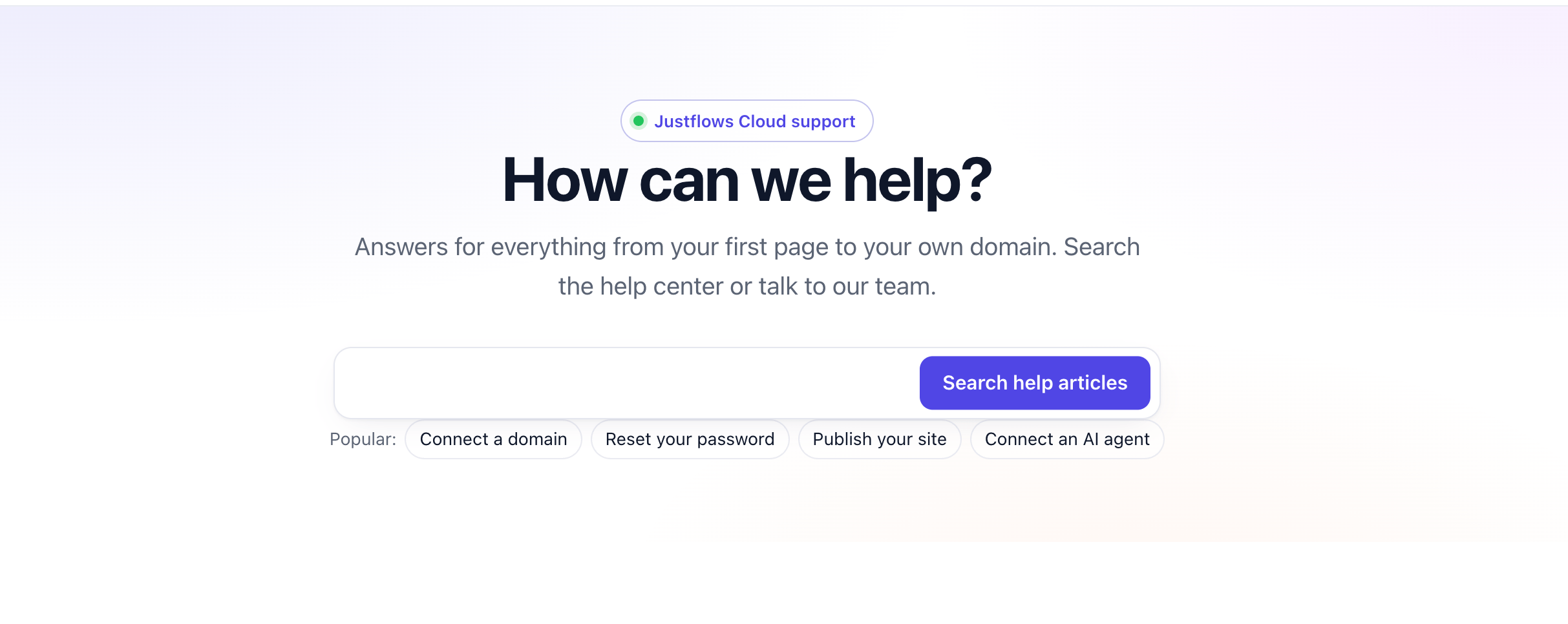
Every site that sells something, or serves someone, gets questions. On Justflows that used to mean a contact form and a shared mailbox, or a separate helpdesk service with its own login, its own copy of your customers and its own invoice. Helpdesk is a new first-party plugin that puts support tickets inside the site itself: a customer portal on the public side, and a staff inbox in the admin.
We did not want to ship a helpdesk we would not use ourselves. So before writing this post, we moved our own support onto it.
Our help center runs on it
support.justflows.com is the help center for everyone on Justflows Cloud. It is an ordinary Justflows site with the Helpdesk plugin active: help articles, a support form, your own requests under My tickets, and answers we have made public. When you open a ticket there, it lands in the Helpdesk inbox in that site's admin, and that is where we answer you.
Running it ourselves keeps us honest. Every rough edge we hit in the inbox is one you would hit too, and we fix it in the plugin, not in a private fork.
Visit support.justflows.com
What your customers see
Activating Helpdesk creates the support pages for you. They are normal block pages, so they follow your theme and you can edit them with blocks and patterns like any other page.
- /support has the form to open a request. A signed-in visitor gets their name and email filled in.
- /my-tickets is an account page that lists a signed-in customer's own requests.
- /public-tickets is a searchable archive of the answers you chose to make public.
- Guests do not need an account. They get a private link by email, and can reply, close, reopen or rate their request from it. If they sign up later with the same verified email, their tickets come with them.
- An optional support popup on your public pages shows public answers and a short form. Its greeting follows the language of the page.
What your team gets
Helpdesk has its own item in the admin sidebar. It opens on Reports: open and unassigned tickets, tickets past their target, first-response time, satisfaction and the volume of the last two weeks. The Inbox is the next tab.
- Replies, internal notes and @mentions on one thread, with statuses, priorities, types, categories, tags and custom fields.
- Saved views, bulk actions, and canned replies that can also set the status, priority and tag.
- Direct handover: the ticket moves to the other agent immediately, with a required internal note so nobody starts from zero.
- Response targets in business hours that pause while a ticket waits on the customer. Assignment can be round-robin, to the agent with the fewest open tickets, or by language.
- Email in both directions. Customers can reply to the notification mail and the reply lands on the ticket, without the quoted history.
- Suggest reply drafts an answer with your site's assistant. You review it before anything is sent.
- A good answer can be split off, linked to another ticket, or saved as a help article.
Private by default
Support tickets hold things people would not post in public: order details, account problems, sometimes a password they should not have sent. So a ticket is private unless the customer opts in to making it public, and the public archive never includes email addresses, internal notes or secrets.
- Uploads are stored privately, checked by their real file type, executables are refused, and JPEG metadata is removed.
- With an encryption key configured, sensitive replies are encrypted. Only staff with the reveal permission can open them, every reveal is logged, and expired secrets are destroyed by a nightly job.
- Guest links store only a hash of the token. The token itself exists only in the customer's email.
- Spam protection uses the CAPTCHA provider you already set under Settings → Discussion.
Connected to Shop and to your other sites
If your site runs Shop, a ticket shows the customer's orders, including orders they placed on other sites in the same workspace. The order number opens that order in Shop on the site that owns it. Guests can look up an order by number and email, and you can choose to open a ticket automatically when a payment fails.
On a multisite installation, a site can escalate a ticket to the main site, and the main site can write an internal note back. The main site can also show its support button in the admin of the other sites, and send it to a separate help center site if you have one.
Your AI agent can work the queue
Helpdesk offers its core actions to AI agents as MCP tools: list and read tickets, reply, assign, hand over, merge, use canned replies and read the reports. Connect Claude, ChatGPT or Cursor to your site and ask which tickets are past their target, or have it draft replies for you to check. The tools follow the same rules as every plugin tool, which we wrote about in Letting AI agents into plugins, without letting them out of the site.
Built on the SDK, not in the core
Justflows core has no helpdesk code. Helpdesk uses only the public plugin SDK, the same one available to anyone writing a plugin. Where the SDK fell short, we added what was missing to the host for every plugin: calling another plugin's route as the current staff member, CAPTCHA through the Discussion provider, drafting text with the site's assistant, and an event for inbound mail. If you are building something similar, those pieces are already there.
Try it
Helpdesk is free, GPL-licensed and in beta. You can follow its progress in issue #184. And if something does not work the way you expect, open a ticket at support.justflows.com. It will end up in the inbox described above, and we will answer you from there.
✌️
Thanks for reading!
Find more posts on the blog or star Justflows on GitHub.