
Justflows 0.3.9: every first-party plugin stands on its own
Cookie Consent, Forms, Helpdesk, Gallery and SEO Toolkit now run entirely from their own packages, and the plugin SDK gains the capabilities they needed: translated menu labels, page roles, image fields, page head hooks and content editor panels.
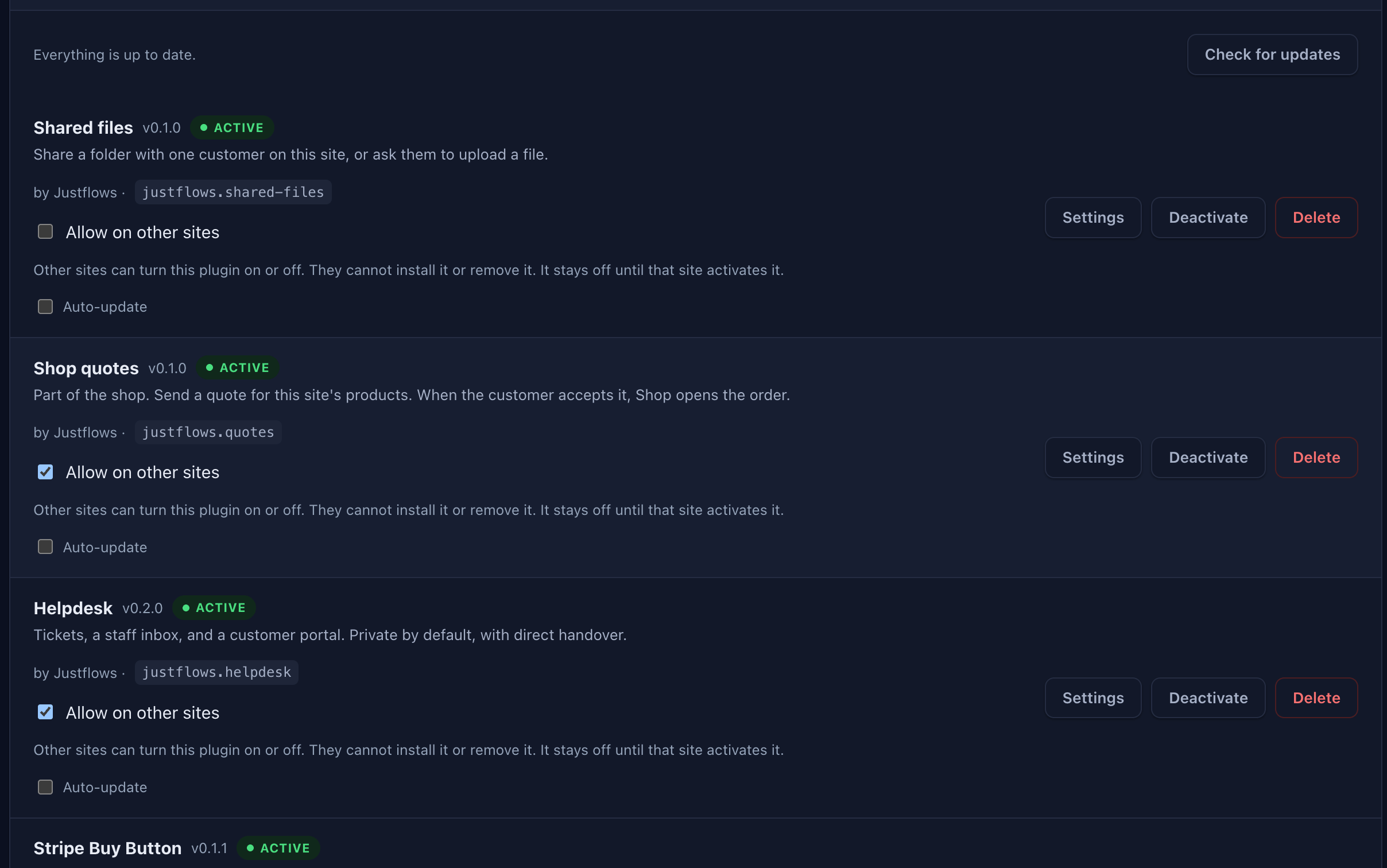
Justflows 0.3.9 is out. It finishes a job we started with Analytics in 0.3.7: core no longer knows about any specific plugin. Cookie Consent, Forms, Helpdesk, Gallery and SEO Toolkit used to have code inside core: their own admin screens, routes, rendering and special cases. In 0.3.9 each of them runs entirely from its own package, built on the same public SDK any plugin author can use. To make that possible, the SDK gained a set of generic capabilities that every plugin can now use.
Before you upgrade: update five plugins together with core
Because these plugins no longer lean on code inside core, each one needs its new version on the new core. Update them in the same go:
- Cookie Consent 1.1.0. With an older version, the Cookie Consent page has no screen.
- Forms 0.3.0. With an older version, public form submissions stop working.
- Helpdesk 0.2.0. With an older version, other sites lose the admin Support button and Support agents cannot open Helpdesk.
- Gallery 0.3.0. With an older version, galleries do not show on public pages.
- SEO Toolkit 0.3.0. With an older version, pages keep only a plain title, a canonical link and a basic sitemap, and the editor shows no SEO section. Nothing you stored is lost.
If you publish a static export and use Forms, run the export again after updating, so exported pages call the new form endpoints. Pages exported earlier keep working in the meantime.
Why core stays out of plugins
A first-party plugin should not be able to do anything a third-party plugin cannot. As long as core carried a screen for Cookie Consent or rendered the Gallery block itself, a competing consent or gallery plugin could never be as good, and every change to those plugins meant a core release. Now each plugin ships, updates and is replaced on its own. Wherever a plugin needed something only core could do, we added a generic SDK capability instead of a special case.
Cookie Consent: its own screen, in eight languages
The Cookie Consent settings screen was a page inside core. It now ships with the plugin as its own admin app, with the same sections as before: behaviour, categories, the banner text per language, design with a live preview, script and embed gating, cookie declarations and consent records. All of it is translated into the eight admin languages, from the plugin's own catalogs.
Forms: its own routes, and simpler static exports
Forms now serves its endpoints as its own routes under
/api/forms/: config, submit and the admin routes. The public submit route opts out of the session CSRF token and asks the host for a limit of 10 submissions per 10 minutes per visitor. Core no longer has any /justflows-forms handling, reserved slugs or export rules.One nice side effect: the form script now submits form-encoded data instead of JSON. For a static export on another domain, that makes a submission a simple request the browser sends without a CORS preflight, so no extra server support is needed. Static exports made before this update keep working too, because Forms still answers the old addresses.
Helpdesk: the support button, built by Helpdesk
On a multisite installation, Helpdesk can show a Support button in the admin of every other site. Until now, core built that button. Helpdesk 0.2.0 does it itself with a network-wide hook, following the main site's switch, greeting, side and support site as before. On the main site, the public support popup links to the chosen support site from Helpdesk itself, and Helpdesk decides which of its settings each site sees. The Support agent role now gets into Helpdesk because the Helpdesk page says so, not because of a rule in core.
Gallery: a plugin block like any other
Core used to skip the Gallery plugin entirely and render the gallery block itself. Gallery 0.3.0 registers and renders its own block. Grid, masonry, carousel, slideshow and list layouts, captions, columns, the lightbox and responsive images all work as before, and existing galleries keep their content.
Two things from this move help every plugin with blocks. Blocks can now have an images field, edited with upload, the media library or a URL. And the page builder previews any plugin block with its real render, where it used to show just the block's type name.
SEO Toolkit: the plugin writes the SEO
Core used to write the meta description, Open Graph and Twitter tags, structured data, the title template and the sitemap extras on every site, reading SEO Toolkit's settings even when the plugin was off. Now SEO Toolkit writes all of that itself, and the SEO section in the content editor (SEO title, meta description, canonical URL, social image and feed exclusion) is part of the plugin too.
A site without SEO Toolkit is not left bare: core still gives every page its plain title, a canonical link and a basic
/sitemap.xml of your published pages.Plugin SDK: what plugin authors get
Every capability the first-party plugins needed is now part of the public SDK:
- Translated menu labels. An admin menu entry can carry its own label per language, or look up its
labelKeyin the plugin's own admin catalogs. - Page roles. A menu entry can name the roles that may open it, such as a role your plugin registers.
- A settings form per site. The
plugin.settings.schemafilter lets a plugin hide fields or fill a dropdown's options for the current site. - Network sites.
ctx.network.site()returns a site in the installation and its public address, from any site. - Image fields and helpers. Block fields of type
images, responsive image variants formediaandimagesfields, andrenderResponsiveImage,applyResponsiveProp,escapeHtmlandsafeMediaSrcin the SDK. - Page head hooks. New
html.title,html.canonicalandsite.identityfilters, and anhtml.headcontext that describes the page: content type and fields, description, canonical URL, share image and whether it is indexable. - Content editor panels.
editorPanelsin the manifest adds sections to the content editor, with text, textarea, URL, image and checkbox fields, labelled per language.
This is the whole SEO section of the content editor, declared by SEO Toolkit (shortened):
"editorPanels": [
  {
    "id": "seo",
    "title": { "en": "SEO", "nl": "SEO" },
    "indexableOnly": true,
    "fields": [
      { "key": "seoTitle", "type": "text", "label": { "en": "SEO title" }, "placeholder": "{title}" },
      { "key": "seoImage", "type": "image", "label": { "en": "Social image" } }
    ]
  }
]
One field is gone:
hostCooperative. The host now activates every plugin the same way, and a manifest that still declares it keeps working.Upgrading
- Update Cookie Consent, Forms, Helpdesk, Gallery and SEO Toolkit together with core. See the list at the top for what happens with an older version.
- Static export with Forms: run the export again after updating.
- No database migrations in this release.
The release ZIP comes with a SHA-256 checksum, a signature and a CycloneDX SBOM, all attached to the 0.3.9 release on GitHub. Sites on 0.2.7 or later check the signature before they install an update.
Read the full changelog✌️
Thanks for reading!
Find more posts on the blog or star Justflows on GitHub.